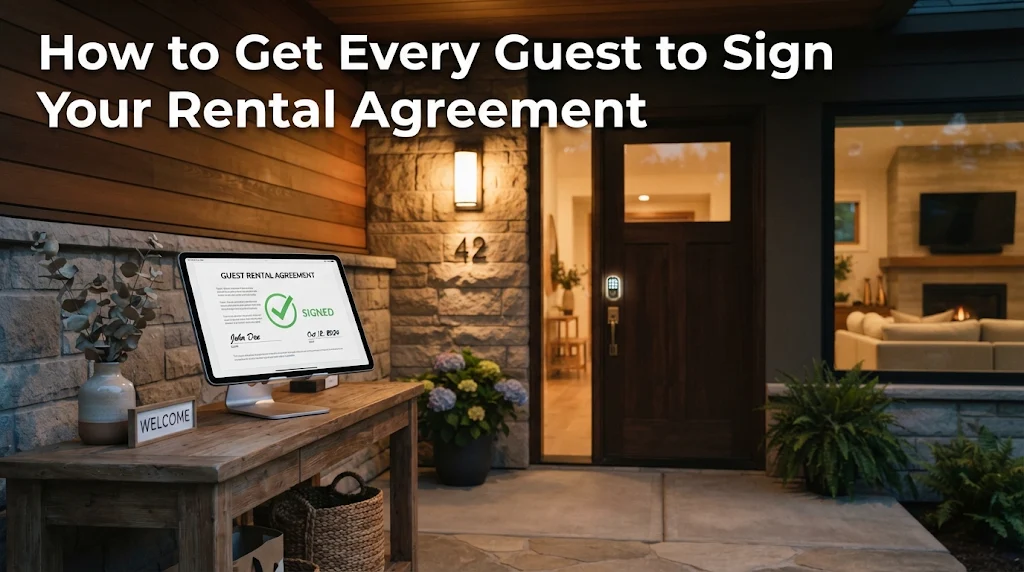
Somebody's sleeping in your bed tonight. Do you even have their phone number?
I've run vacation rentals and book-direct websites since 2008, and I've kept one rule the whole time: nobody stays in my rentals without a signed rental agreement. Not once.
Here's how to get that signature from every guest, along with their real phone number and address, without chasing anybody down.
Why Every Guest Should Sign
A rental agreement is how you set the terms before someone walks through your door. It covers your house rules, occupancy limits, pets, damage and cancellations. Without one, you've handed a stranger your house on trust alone.
It also gets you something you can't do without: real contact information. When a pipe bursts at 2 a.m. or the neighbor calls about a party, you need a phone number that rings in the guest's pocket. A booking platform's message thread won't cut it.
Talk to your own attorney about what your agreement should say. But having one signed is the starting point.
What Changed on Airbnb on November 20
Airbnb's new house rules policy applies to reservations booked on or after November 20, 2026. For those bookings, hosts generally can't require guests to sign a separate rental agreement. There are exceptions, such as when local law or HOA rules require one, or for stays of 28 nights or more. Check Airbnb's policy for your own situation before you send anything to an Airbnb guest.
That's a big shift for owners who depend on an agreement to protect their property.
When a guest books direct on your own website, though, you set the rules. That's one more reason to move repeat guests and new guests to your own site.
How It Works in OwnerWebs
Every OwnerWebs website has rental agreements built in. Upload your agreement once, and it shows up word for word, exactly as you wrote it.
Then, for each reservation:
- Add the guest's email. Direct bookings already have it from checkout. For a reservation that came in from another channel, ask the guest for their email and add it to the reservation.
- Write a quick note. Something like "Thanks for booking! Please review and sign before your stay."
- Send it. One click emails your agreement to the guest.
- Watch the status. You'll see when it's sent, when it's opened, and when it's signed.
No printing, no scanning, no "did you get my email?" texts.
What Your Guest Sees
Your guest gets a simple email with a button to review your agreement. They read it on their phone or computer, then:
- Fill in their phone number and address
- Check the box and sign online
- Print or save a copy if they want one
Right after they sign, they get a confirmation email with a signed copy of the agreement. You see it marked as signed on your end.
The whole thing takes them a couple of minutes, and you end up with a signed agreement plus their real contact info.
No Signature, No Door Code
This is my favorite part.
OwnerWebs sends your check-in instructions automatically, on the schedule you pick, so you don't have to remember. But it only sends them after the rental agreement is signed.
If a guest hasn't signed, their check-in instructions wait. No door code, no WiFi password, no directions until the agreement is done.
You don't have to be the bad guy or send awkward reminders. The system holds the line for you.
What to Do Next
If you already have an OwnerWebs website, open any reservation and send your rental agreement today. If you haven't uploaded one yet, you can add it under [Blog & pages → Rental agreement].
If you don't have your own book-direct website yet, now's the time. Airbnb just made it harder to protect your property on their platform. On your own site, every guest signs, and you keep 0% commission on any paid plan.
Build your website now.
Frequently Asked Questions
How do I get a guest to sign a vacation rental agreement online?
Can check-in instructions wait until the rental agreement is signed?
Will my rental agreement be changed when I upload it?

Matthew Thompson
Matthew Thompson is a licensed employing real estate broker in Louisiana and Colorado, with twenty years of experience in the vacation rental home industry. He holds a degree in Chemical Engineering from Louisiana Tech University and is also the developer and founder of OwnerWebs.com, a vacation rental website builder. View his professional profile